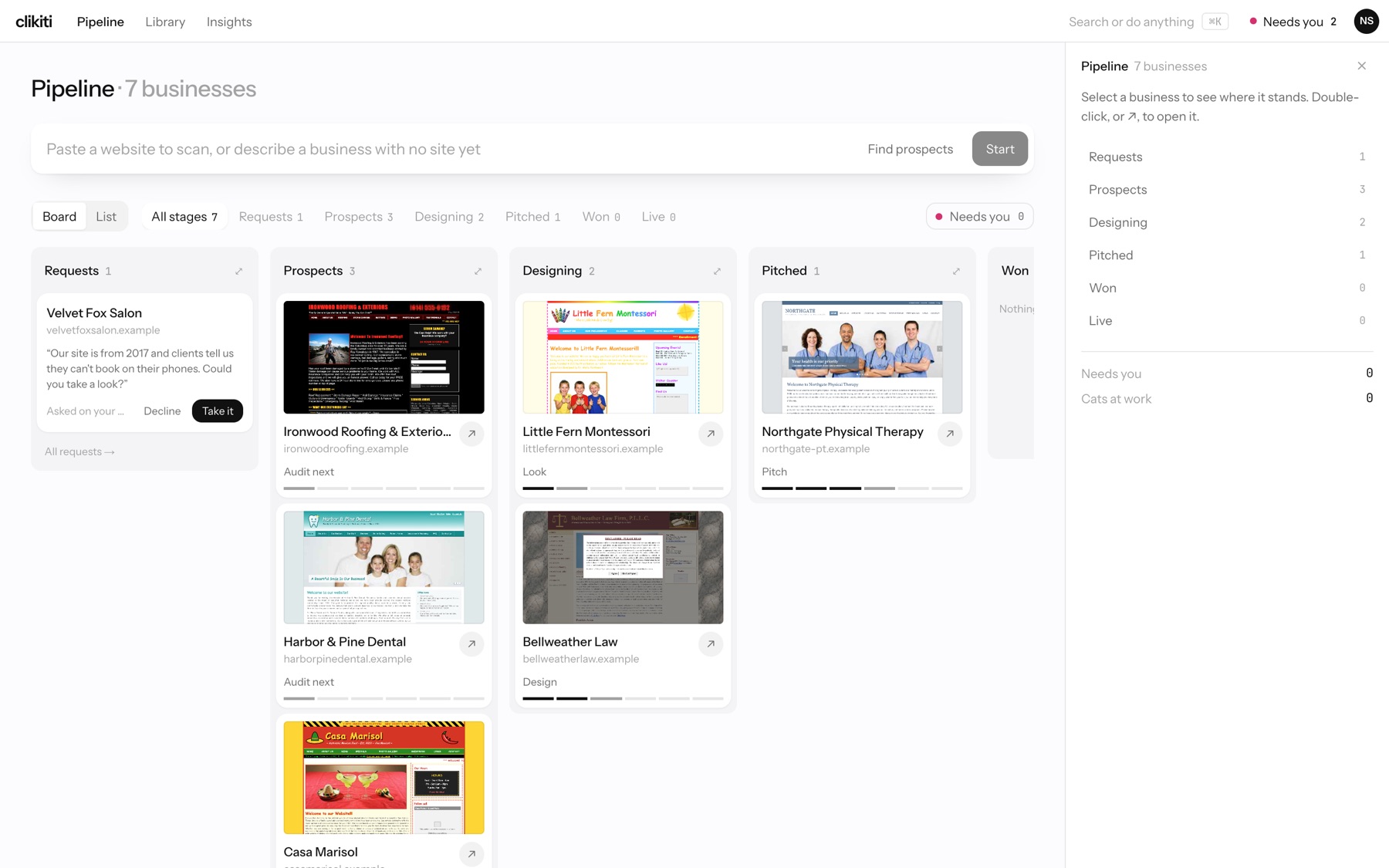
The Pipeline is your home screen: every business is a card, grouped by stage, with its next step written under it.
Reading the board
- Stages: Requests, Prospects, Designing, Pitched, Won and Live. The filters above the board show how many businesses are in each.
- Next step: each card says what comes next, such as Audit next, Look, Design or Pitch. The bar under it fills as the business moves along.
- Open a business: double-click its card, or press ↗.
- Board or List: switch views with the toggle at the top left.
- Needs you: shows only the businesses waiting on you.
Add a business
Type into the box at the top: paste a website to scan, or describe a business with no site yet, then press Start. To search for new businesses instead, press Find prospects (Find prospects).
Requests from business owners
Owners can ask you for a redesign from your own site. Their message lands in Requests with what they wrote. Press Take it to add the business to your pipeline, or Decline. All requests shows the full list.