The Pitch step turns the audit and the redesign into everything you need to approach the owner.
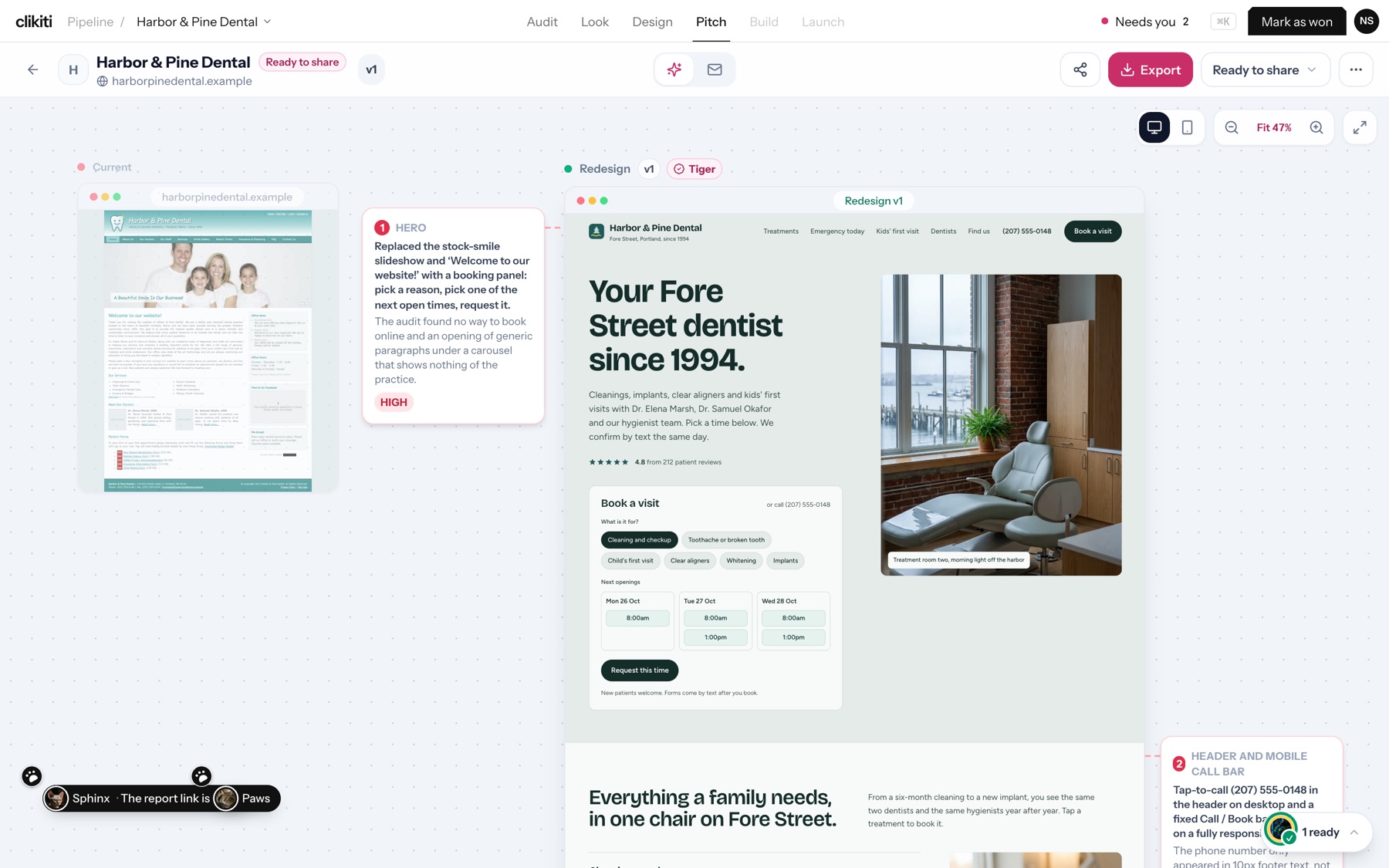
Write it
- On the Pitch step, pick who you are writing to and how, for example The owner, Keep it short, Lead with speed on phones or Mention the redesign is ready.
- Press Start.
- You get the Report: the redesign with numbered notes explaining each change, why it matters and its priority (such as High).
Send it
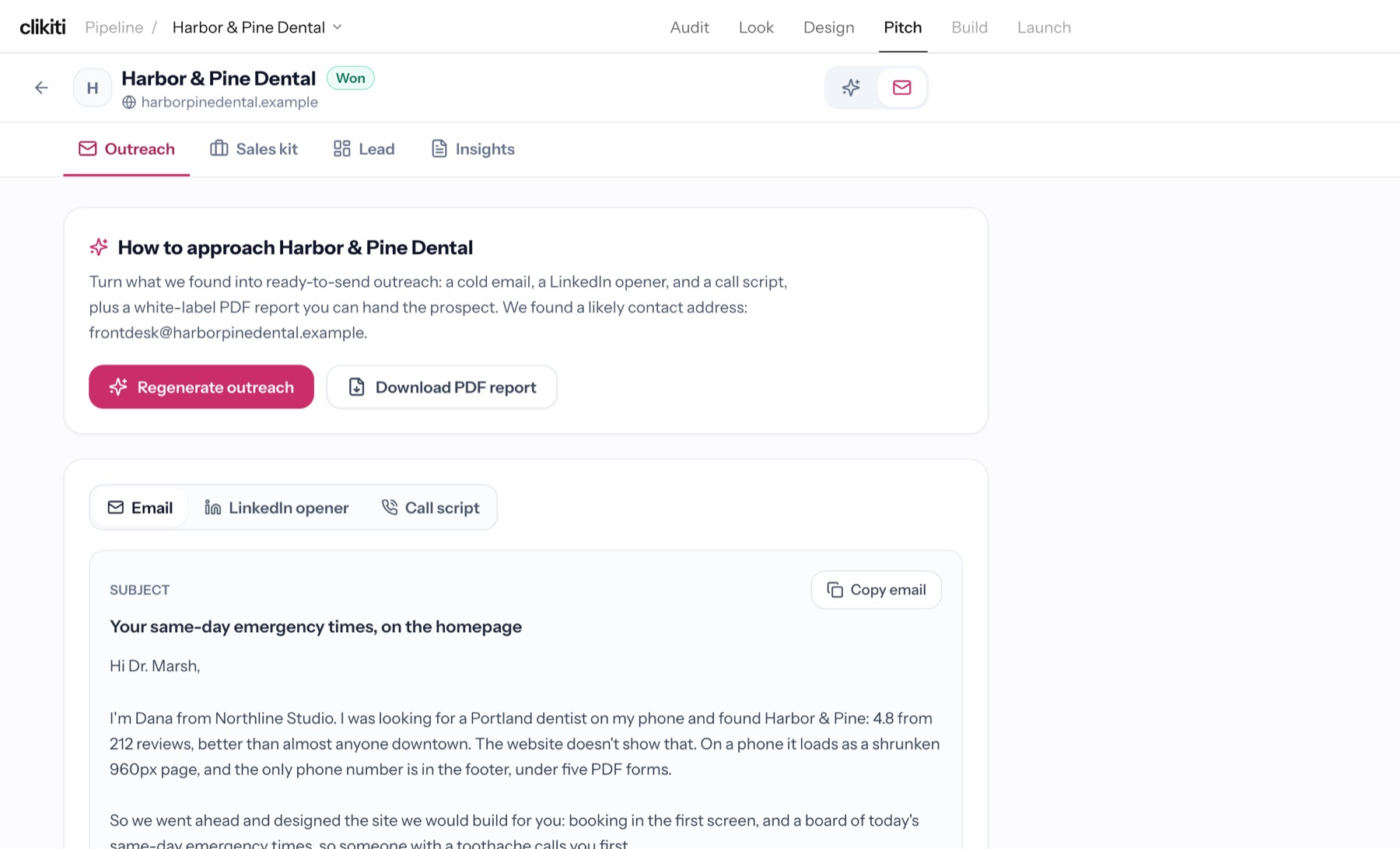
Open Outreach for:
- Email, with subject line, ready to copy with Copy email
- LinkedIn opener
- Call script
- Download PDF report, a white-label report you can hand the prospect
When it finds one, Clikiti shows a likely contact address for the business. Regenerate outreach writes a new version. Sales kit, Lead and Insights hold the rest of the deal's material.
When the owner says yes, press Mark as won. Next: Mark as won and build.