Generate redesign writes the new homepage in the look you chose, and shows it next to the current site.
Make the redesign
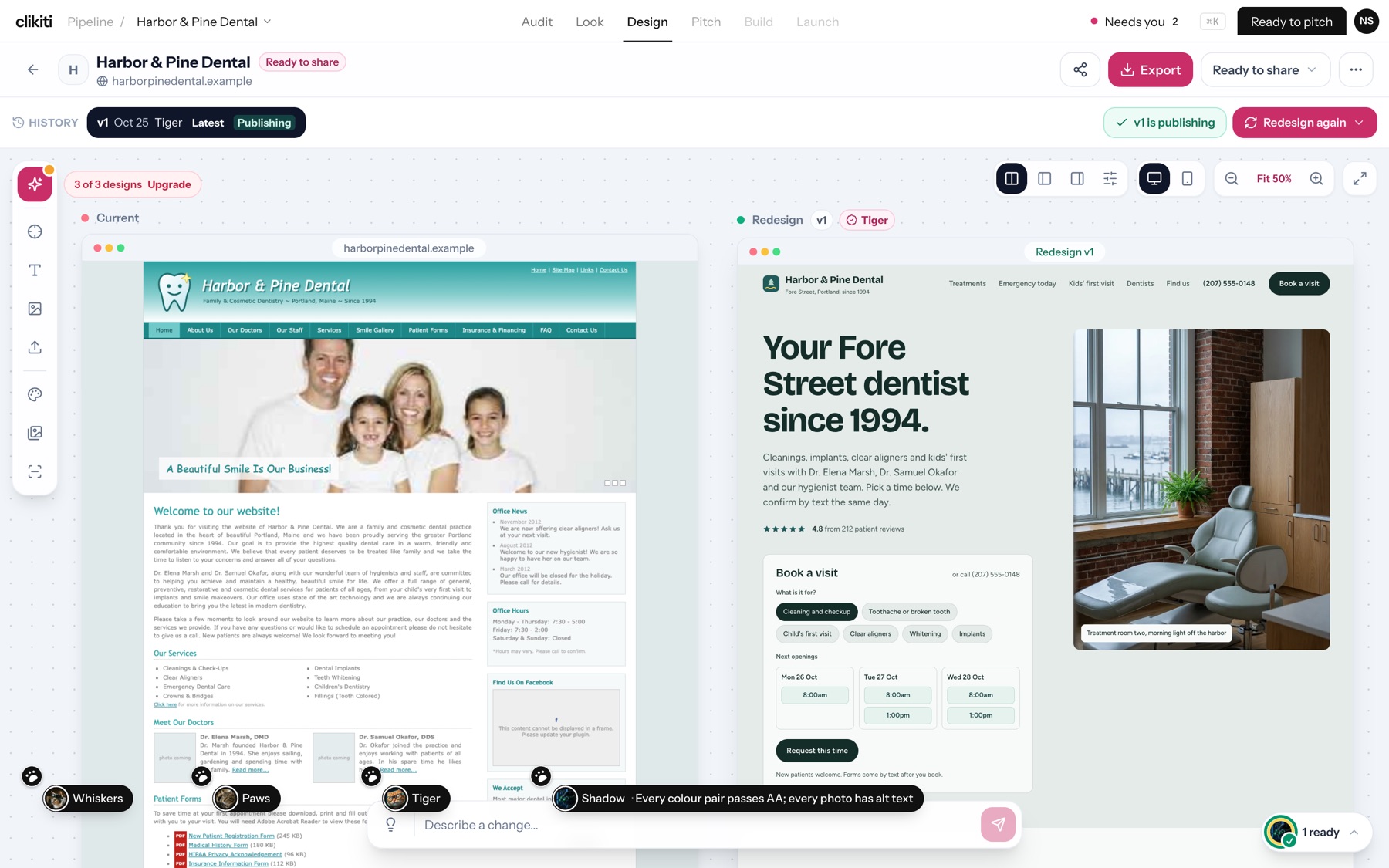
- On the Design step, press Generate redesign. You can watch the page being written, section by section.
- When it's done, the Current site is on the left and Redesign v1 on the right.
- Ask for changes in the Describe a change… box at the bottom, in plain words.
- When you're happy, press Ready to pitch.
Tools on this screen
- Layout, desktop and phone, zoom, full screen: the controls at the top right of the preview.
- History: every version (v1, v2…) with who made it.
- Redesign again: a fresh version.
- Share and Export: send the design or download it.
- Design counter: shows how many designs your plan has left this month, with Upgrade to get more.